Everyday life · England
Technology that helps you
Your browser or device provides the reading voice.
Technology can help with things you want to do.
Different people need different tools.
Choose something you want help to do.
You might want to remember appointments or contact friends.
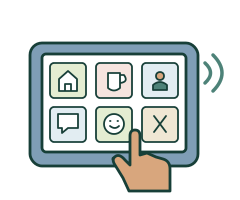
Your phone may already have helpful settings.
It might read words aloud or make writing bigger.

Reminders and picture plans can help with routines.
Choose sounds or pictures that work for you.
Brain in Hand combines an app with human support.
You can plan routines and ways to manage difficult moments.
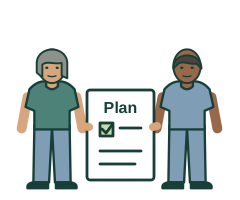
Ask to see how Brain in Hand works.
Check whether its words and tools suit you.
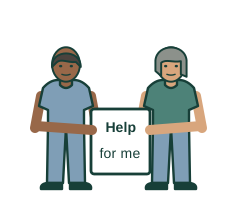
Ask who responds when you request help.
Check how long you might wait.
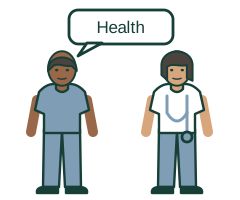
Brain in Hand is not an emergency service.
Call 999 for a life-threatening emergency.
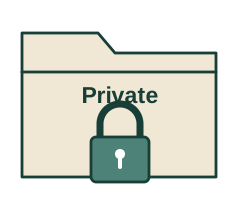
Ask who can see your information.
Your choices and privacy matter.

Find out the full cost before agreeing.
Ask whether funding could help.
Funding is not automatic.
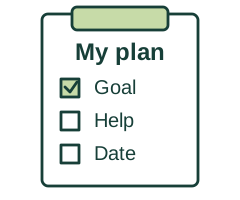
Try equipment with support before buying, where possible.
Plan what happens if it stops working.
Practise at your pace.
Tell someone if the technology is not helping.
What you can do next
Say what you want help to do.
Ask for a demonstration and information you can understand.
Choose something to try Web pageThis link opens another website.
It may use harder words.
More useful links
- AbilityNet: My Computer My Way Web page
Step-by-step instructions for built-in accessibility settings on different devices.
- Brain in Hand: how it works Web page
Provider description of planning tools, coaching, response options and stated response time. Check the package offered to you.
- Scope: finding equipment and assistive technology Web page
Choosing by need, asking for demonstrations or loans, and checking costs, training and supplier arrangements.
- NHS: personal alarms and telecare Web page
Different alert systems, monitoring arrangements and possible council assessment.
- GOV.UK: Access to Work Web page
Possible employment-related equipment and software support; eligibility and the employer’s separate adjustment duties.
- GOV.UK: Disabled Students’ Allowance Web page
Eligible higher education study support, assessment and approval before purchasing equipment.
These links open other websites.
They may use harder words.
Technology to support everyday life
Explore Brain in Hand, reminders, accessible devices and telecare, with support to choose and use them.
Children and adults in England · Product suitability and funding rules vary
Start with your own goal
You might want to remember an appointment, contact a friend, start a task, read a letter or control your music. Describe the part that is difficult and what a good result would look like. Assistive technology includes simple tools as well as specialist software and equipment. The aim is more choice and participation, including directing your own support. You can prefer a paper planner or another non-digital option.
Try settings already on your device
A phone, tablet or computer may already offer larger text, magnification, read-aloud, captions, voice typing, voice control or switch access. Text-to-speech reads written words aloud; speech-to-text turns spoken words into writing. Neither automatically makes complicated information easy to understand. AbilityNet’s My Computer My Way gives instructions for different devices. Try one change at a time and keep a way to undo it.
Useful tools for routines and communication
Examples to explore include a visual timetable, reminder clock, calendar alerts, step-by-step task prompts and a smart speaker for timers, music or controlling compatible lights. Choose a sound, vibration or visual prompt that you notice without becoming overwhelmed. Check whether voice control understands you and whether another input method is needed. Communication apps and specialist devices may need a speech and language therapy assessment. A medicine reminder does not replace an agreed medicines-support plan.
What Brain in Hand does
Brain in Hand is a paid service combining an app and website with scheduled human coaching and on-demand human support. You can build personal routines, reminders and strategies for difficult moments. The provider currently describes a 24-hour, seven-day response service and says a trained responder contacts you within 30 minutes of a request. Confirm what your package includes, contact methods and how support works. This is human support, not an AI chatbot.
Check whether Brain in Hand suits you
The provider says users must be at least 14, with parent or guardian consent under 18, and that its mainly text-based system needs basic literacy. A diagnosis is not required for the product itself; funding schemes have separate criteria. Ask for a demonstration using your own communication and access needs. Check help with setup, device compatibility and whether phone use is allowed at work or college. Its response service is not crisis care: call 999 for a life-threatening emergency.
Personal alarms and telecare
An alarm or sensor may alert a family member, paid supporter or monitoring centre. Different systems detect different things, such as a button press, a fall, smoke or a door opening. Ask who receives the alert, when they are available, what they do and how help reaches you. A sensor cannot guarantee that every problem will be detected. Monitoring is different from someone being physically present; any change to care needs an individual assessment and agreed plan.
Your privacy and choices matter
Ask what information is recorded, who can see it, how long it is kept and how to change access. Explain what you want a supporter to help with rather than sharing everything automatically. Care involving technology normally needs informed consent. Where an adult cannot make the particular decision despite support, Mental Capacity Act requirements apply. Consent to care and the lawful basis for using personal information are separate matters. Cameras, tracking and monitoring need proper justification and consideration of less intrusive options.
Get advice and try it in real life
An occupational therapist can assess everyday tasks and suitable equipment. Ask your GP, council or relevant education or workplace team about the right route. Scope and Living Made Easy provide equipment information; AbilityNet helps with accessible technology. Ask about a demonstration or short loan, including delivery and return charges. Try the actual task in the places you will use the device. Check whether prompts, buttons, screen layout and support are understandable to you.
Check the full cost and funding
Ask for purchase, subscription, mobile data, training, repairs and renewal costs in writing. Some councils assess and provide particular equipment or telecare, but availability and charges vary. Access to Work may fund suitable employment-related technology, including Brain in Hand where approved; it does not replace an employer’s reasonable-adjustment duties. Disabled Students’ Allowance may fund assessed support for eligible higher education students. Approval is not automatic: check the relevant scheme before buying. Ordinary phone ownership or a diagnosis alone does not guarantee funding.
Plan for batteries, outages and emergencies
Agree charging, testing, repairs and what happens if the phone is lost, the internet fails or a subscription ends. Keep an accessible backup for essential contacts, communication and routines. Check whether an alarm works during a power cut and how long its backup lasts. Contact both your telephone and telecare providers before a landline change or digital switchover. Do not assume a smart speaker or planning app can call emergency services. Keep a reliable way to call 999 for a life-threatening emergency.
Learn, protect and review
Practise with someone you choose, at your pace. Agree who updates the device and helps when it stops working. Use strong account security, two-step verification where available, and current software updates. Check the manufacturer’s instructions before selling or disposing of a device so personal information is removed. Review whether the technology actually helps you do what matters, how it affects privacy and whether you still want it. A product being popular does not make it right for everyone.
Words you could use
“I want technology to help me with … Please show me suitable options, any funding, the full cost and a backup plan.”
More useful links
- AbilityNet: My Computer My Way Web page
Step-by-step instructions for built-in accessibility settings on different devices.
- Brain in Hand: how it works Web page
Provider description of planning tools, coaching, response options and stated response time. Check the package offered to you.
- Scope: finding equipment and assistive technology Web page
Choosing by need, asking for demonstrations or loans, and checking costs, training and supplier arrangements.
- NHS: personal alarms and telecare Web page
Different alert systems, monitoring arrangements and possible council assessment.
- GOV.UK: Access to Work Web page
Possible employment-related equipment and software support; eligibility and the employer’s separate adjustment duties.
- GOV.UK: Disabled Students’ Allowance Web page
Eligible higher education study support, assessment and approval before purchasing equipment.
These links open other websites.
They may use harder words.
Where the information comes from
Links checked 1 November 2026.
These links open other websites.
They may use harder words.
- GOV.UK: assistive and accessible technology Web page
Ways technology can support everyday activities and access. Published December 2025.
- AbilityNet: learning disabilities and computing Web page
Accessible computer use and adaptations matched to individual needs.
- AbilityNet: My Computer My Way Web page
Step-by-step instructions for built-in accessibility settings on different devices.
- Brain in Hand: how it works Web page
Provider description of planning tools, coaching, response options and stated response time. Check the package offered to you.
- Brain in Hand: frequently asked questions Web page
Provider information about suitability, text-based use, minimum age, funding and subscription arrangements.
- Brain in Hand: on-demand support information PDF
Provider leaflet confirms round-the-clock human response and explains that this is not a crisis or emergency service.
- Scope: finding equipment and assistive technology Web page
Choosing by need, asking for demonstrations or loans, and checking costs, training and supplier arrangements.
- NHS: personal alarms and telecare Web page
Different alert systems, monitoring arrangements and possible council assessment.
- CQC: consent to technology in care Web page
Consent to care, mental capacity and the separate lawful basis for handling personal information.
- GOV.UK: Access to Work Web page
Possible employment-related equipment and software support; eligibility and the employer’s separate adjustment duties.
- GOV.UK: Disabled Students’ Allowance Web page
Eligible higher education study support, assessment and approval before purchasing equipment.
- NHS: occupational therapy Web pageVideo
Assessment of everyday activities and routes through the GP, council or private services.
- GOV.UK: telecare and the digital phone switchover Web page
Checking alarm compatibility with your telephone and telecare providers when services change.
- GOV.UK: using smart devices safely Web page
Account security, updates, privacy and removing personal data before disposing of devices.
- Brain in Hand: service overview Web page
Provider confirms that its coaches and responders are human, rather than an automated chatbot.
A page for you to fill in
You can type your answers and download a copy.
You can also print a page to write or draw on.
Someone you trust can help you.