Safety & safeguarding · England
Keeping safe from scams
Your browser or device provides the reading voice.
A scam is a trick to get your money or personal information.
Anyone can be tricked.
You can ask for help.
If you paid a scammer or shared bank details, contact your bank now.
Stop and check unexpected contact
A message or caller may pretend to be someone you trust.
Their name or picture might be fake.
Stop if someone pressures you to act quickly.
You can end the call or close the message.

Do not click a link in a message you do not trust.
Check by calling a number you already trust.
For your bank, use the number on your bank card.
Protect your money and accounts
Keep your bank PIN, passwords and security codes private.
Do not give them to a caller or visitor.
Do not move money because someone says it needs protecting.
Your bank will not ask for a new “safe account”.
Do not let an unexpected caller control your device.
If this has happened, ask someone you trust for help.

Online friends and visitors
Someone online might pretend to love you to get money.
You do not have to pay to prove friendship.

You can keep the door closed to an unexpected visitor.
Take time to check who they are.
Get help if something goes wrong
Contact your bank straight away if you sent money.
Tell them if you shared bank details too.
Use the number on your bank card or your banking app.
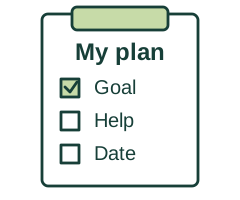
Ask for help to make your accounts safe again.
If you shared a password, change it using the real website.
Report and ask about money back
You can forward a scam text to 7726 for free.
Forward means send a copy of the message.
You can ask someone to help you do this.
Report Fraud takes reports of fraud in England.
Call 0300 123 2040 or use its website.
You can ask someone to help you report it.
Call 999 if you are in immediate danger.
Use 101 for other police help.
Ask your bank about getting money back.
Ask for written reasons if it refuses.
You deserve support without blame.
Agree help that respects your choices and privacy.
What you can do next
Contact your bank first if money or banking details are involved.
Use the worksheet to record what happened and your next steps.
Report fraud or cyber crime Web pageThis link opens another website.
It may use harder words.
More useful links
Choose a guide below. The PDF links open booklets you can save or print.
Easy Read guides about scams
These guides use pictures and short sentences. Mencap and UK Finance wrote them together.
- Mencap: how to protect yourself from scams — read online Web pageEasy Read
Pictures and clear words about fake callers, romance scams and getting help.
- How to protect yourself from scams — Easy Read booklet PDFEasy Read
13 pages. Learn about fake callers, romance scams and fake voices or videos. Includes what to do if you have been scammed.
- Identity theft — Easy Read booklet PDFEasy Read
5 pages. What to look for if someone uses your personal information without your permission, and how to get help.
- Payment in advance scam — Easy Read booklet PDFEasy Read
4 pages. Learn about tricks that make you pay for a prize, job, loan or item you never get.
- Ticket scams — Easy Read booklet PDFEasy Read
5 pages. Help to spot fake tickets and check sellers before buying tickets for concerts, sport or other events.
- Settings to stay safe online — Easy Read booklet PDFEasy Read
4 pages. Help with passwords, checking websites and keeping your accounts safer.
Reporting a scam and getting help
These websites may use harder words. You can ask someone you trust to help you.
- GOV.UK: reporting suspicious messages Web page
Official email, text, website and fraud reporting routes.
- Report Fraud Web page
Report fraud or cyber crime, or find the right route for suspicious contact.
- NCSC: help after phishing Web page
Steps after sharing details, opening a link or installing software.
- Take Five: protect yourself Web page
Recognise pressure, check requests and act after a scam.
- Financial Ombudsman: payment scams Web page
Reimbursement rules and complaints about a payment provider.
These links open other websites.
They may use harder words.
Keeping safe from scams and getting help after fraud
Spot pressure and fake messages, check requests safely, and take practical steps if money or information has been taken.
England · Fraud prevention, reporting and support
What a scam can look like
A scam is a dishonest attempt to take money or information. It can arrive by text, email, phone, social media, post or a visit to your home. Criminals may pretend to be a bank, police officer, delivery company, government service, employer, friend or romantic partner. A convincing logo, familiar phone number or knowledge of your name does not prove someone is genuine. Spelling can be perfect and photographs or voices can be copied.
Pause when someone creates pressure
Warning signs include urgent demands, threats, secrecy, an unexpected prize or refund, a bargain that seems unlikely, or a request to change payment details. Do not click, pay or share information while being rushed. You can end a call, close a message or say you need time. Keep a record if safe. Ask someone you trust for help without giving them control of every decision.
Check through a separate trusted route
Use the organisation’s official app or a number from your bank card, statement or an independently checked website. Do not use the contact link or number supplied in the suspicious message. Contact a friend through their usual number if a new number asks for money. Caller ID can be faked. After a suspicious landline call, use a different phone if possible to make the checking call, because a scammer may keep the original line open.
Protect banking details and devices
Do not give anyone your PIN, full banking password or a one-time security code. Your bank or the police will not ask you to move money to a “safe account”, hand cash or cards to a courier, or make a payment to catch a criminal. Do not install software or share your screen because an unexpected caller says your device needs fixing. If you want legitimate help, contact the provider yourself through its known support route.
Shopping, work and investment scams
Fake shops and ticket offers may take payment without providing anything. Check the seller and use the consumer-rights guide before paying. A job offer asking for upfront fees, money transfers or access to your bank account needs careful independent checking. Do not let someone use your account to receive and pass on money: this can involve money laundering, even if described as easy work. Treat guaranteed high investment returns or pressure to move a pension as warning signs. Check relevant firms through the Financial Conduct Authority’s official resources.
Friendship, romance and doorstep pressure
An online relationship can be real, but someone asking for money, gifts, secrecy or help moving funds may be exploiting trust. You do not have to send money to prove love or friendship. At home, you can keep the door closed while checking an unexpected visitor. An ID card alone is not proof. Do not agree to urgent repairs or payment under pressure. If someone refuses to leave or threatens you, seek police help; use 999 for immediate danger.
If money or banking information is involved
Contact your bank or payment provider immediately through a trusted number or official app, even if you are unsure or no money has yet left. Explain what happened, what you shared and any payment details. Ask the bank to secure the account, stop or trace payments where possible, and explain the next steps. Reporting a suspicious email does not notify your bank. Do not delay the bank call while gathering a perfect evidence file.
If an account or device may be compromised
Use the provider’s genuine account-recovery process. Change the affected password and any other account using the same password, starting with your email account where relevant. Turn on two-step verification if available and accessible to you. If you installed software or allowed remote access, get trusted technical help and follow NCSC recovery guidance; tell the bank if banking was exposed. Use a different trusted device to contact services if you think the original one is controlled. A supporter should explain and agree changes with you.
Report suspicious messages
Forward suspicious emails to report@phishing.gov.uk. Forward suspicious texts to 7726, which is free. The official GOV.UK reporting page also links to website and advert reporting. Do not click a suspicious link merely to investigate it. Keep useful details, then block or report the sender through the service. These reporting routes help tackle suspicious activity; they do not replace a fraud report when money has been lost or an account hacked.
Report fraud and get support
In England, use Report Fraud at reportfraud.police.uk or call 0300 123 2040. It replaced Action Fraud; older material may still use the old name. Calls use the normal network rate, so check your tariff. If a crime is happening now, the suspect is known or there is particular vulnerability or continuing risk, contact police directly: 999 in an emergency or 101 otherwise. Ask for communication support and a safe contact method. You can report with help and ask about victim support. A report does not guarantee an individual investigation or recovery of money.
Ask about getting money back
Ask the bank which refund or reimbursement rules apply to the payment and for its decision in writing. Some UK bank-transfer scams have mandatory reimbursement protections, but coverage, limits and exceptions matter. Do not assume every loss is covered or that having authorised a payment automatically removes protection. Tell the bank about communication, health or other circumstances that affected the situation. If unhappy, complain to the firm and ask the Financial Ombudsman Service about the next route and deadline. The ombudsman guide explains how this differs from a police report.
Beware of a second scam
Someone may contact you afterwards claiming they can recover the money for a fee. They may already know details of the first scam. Check independently and do not pay an unexpected caller or share more security information. Update your bank about further payments or suspicious contact. Keep copies of messages, transaction dates, account names, receipts and report references somewhere safe, without keeping passwords in a shared worksheet.
Support without blame or unnecessary restrictions
Being deceived is not a reason to shame someone or automatically take away their phone, friendships or control of money. Ask what support they want: practising checks, accessible bank communication, agreed alerts or reviewing requests with a trusted person. If a carer, relative or other person is pressuring or taking money, consider safeguarding and independent advocacy as well as police or banking help. Agree a safety plan that respects the person’s wishes, decision-making and privacy.
Words you could use
“I think someone may be trying to scam me. Please help me check safely, contact my bank and explain the reporting options without blaming me.”
More useful links
Choose a guide below. The PDF links open booklets you can save or print.
Easy Read guides about scams
These guides use pictures and short sentences. Mencap and UK Finance wrote them together.
- Mencap: how to protect yourself from scams — read online Web pageEasy Read
Pictures and clear words about fake callers, romance scams and getting help.
- How to protect yourself from scams — Easy Read booklet PDFEasy Read
13 pages. Learn about fake callers, romance scams and fake voices or videos. Includes what to do if you have been scammed.
- Identity theft — Easy Read booklet PDFEasy Read
5 pages. What to look for if someone uses your personal information without your permission, and how to get help.
- Payment in advance scam — Easy Read booklet PDFEasy Read
4 pages. Learn about tricks that make you pay for a prize, job, loan or item you never get.
- Ticket scams — Easy Read booklet PDFEasy Read
5 pages. Help to spot fake tickets and check sellers before buying tickets for concerts, sport or other events.
- Settings to stay safe online — Easy Read booklet PDFEasy Read
4 pages. Help with passwords, checking websites and keeping your accounts safer.
Reporting a scam and getting help
These websites may use harder words. You can ask someone you trust to help you.
- GOV.UK: reporting suspicious messages Web page
Official email, text, website and fraud reporting routes.
- Report Fraud Web page
Report fraud or cyber crime, or find the right route for suspicious contact.
- NCSC: help after phishing Web page
Steps after sharing details, opening a link or installing software.
- Take Five: protect yourself Web page
Recognise pressure, check requests and act after a scam.
- Financial Ombudsman: payment scams Web page
Reimbursement rules and complaints about a payment provider.
These links open other websites.
They may use harder words.
Where the information comes from
Links checked 1 November 2026.
These links open other websites.
They may use harder words.
- GOV.UK: suspicious emails, websites and phishing Web page
Verified email address, 7726 text reporting and current Report Fraud contact.
- City of London Police: Report Fraud launches Web page
Full public launch on 20 January 2026; current service replacing Action Fraud.
- Report Fraud: what to do after fraud Web page
Immediate bank contact when cards or banking are involved, reporting and victim support.
- Report Fraud: reporting routes Web page
Fraud versus suspicious contact and live crime reporting.
- Report Fraud: contact details Web page
Online reporting and telephone contact; normal network call charges.
- Police.uk: door-to-door and courier fraud Web page
Direct police reporting where a crime is ongoing, suspect is known or victim is vulnerable.
- Take Five: protecting yourself Web page
Common scam types, pressure and independent verification.
- Take Five: banking fraud Web page
Remote-access risks, account protection and checking unexpected approaches.
- Police.uk: banking and investment fraud Web page
Bank impersonation, safer callback methods, money laundering and investment checks.
- Report Fraud: recruitment scams Web page
False job offers, upfront fees and what to do after payment.
- Report Fraud: romance fraud Web page
Trust, secrecy, financial demands and support without blaming victims.
- NCSC: after sharing sensitive information Web page
Bank contact, passwords, device checks and reporting.
- NCSC: recovering hacked accounts Web page
Account recovery, unique passwords, two-step verification and account checks.
- Payment Systems Regulator: scam reimbursement protections Web page
Mandatory protections for eligible bank-transfer scams, with defined coverage and exceptions.
- Financial Ombudsman: scams involving authorised payments Web page
Refund protections, circumstances affecting vulnerability and complaints.
- Report Fraud: recovery fraud Web page
Fraudsters may target people again by offering to recover money.
- Care and support statutory guidance: safeguarding Web page
Financial abuse, wishes, support and safeguarding responses.
- Mencap and UK Finance: Easy Read scam guides Web pageEasy Read
Current Easy Read downloads, developed with Mencap and reviewed by people with learning disabilities. Checked 5 November 2026.
A page for you to fill in
You can type your answers and download a copy.
You can also print a page to write or draw on.
Someone you trust can help you.